What is AI document search?
AI document search means asking questions in everyday language over a set of documents and getting an answer composed from those documents, with citations you can check.
Unlike a general chatbot, a search tool for administrative documents is only useful if it answers from your own documents and shows the source. A key figure such as minimum credits or a fee must come from a specific article of a document in force, not from the model memory.
Shared folders, general chatbots and DocOps
| Criterion | Shared folder | General chatbot | DocOps |
|---|---|---|---|
| Source of answers | You search yourself | The model training data | Only your institution repository |
| Citations | None | Often missing or unverifiable | Document number and article, click to open |
| When there is no source | Unknown | May guess | Says "Not found in the repository" |
| Search without diacritics | Depends on the tool | Yes | Yes, "dinh" matches "định" |
Two ways to search in DocOps
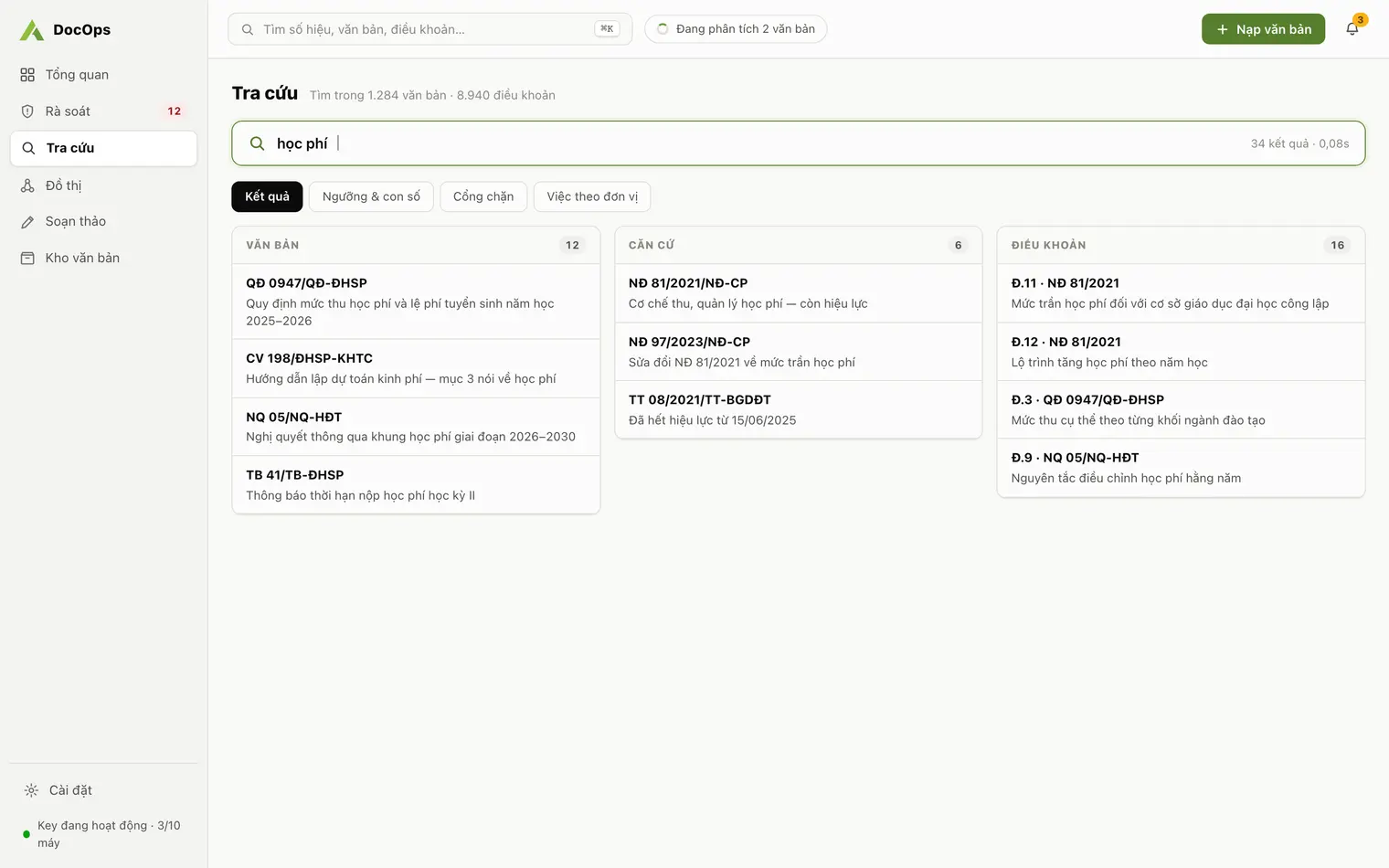
- Full-text search: searches numbers, content and articles without needing Vietnamese diacritics. On a test machine with 10,000 documents and 200,000 articles, a search takes about 0.01 s. ⌘K (Ctrl K on Windows) opens quick search on every screen.
- Q&A: the right column of the Search screen is a conversation grounded only in your repository. The AI is instructed not to cite documents outside it and not to invent figures.
What a citation looks like
Each answer carries citations such as "Art. 3 · 45/2023/TT-BGDĐT": the document number and the cited article. Click a citation to open that document. Each answer also shows the tokens used and the response time.
When the repository lacks a needed document, DocOps says "Not found in the repository" and lists documents that were mentioned but are not in the repository, so staff know what to ingest next.
Search by business layer
Besides search results, the Search screen has a Thresholds and figures tab and a Hard gates tab. These are business rows the AI extracted at ingestion, each naming the article and document it comes from. At a university, the academic affairs office sees every academic threshold and key figure without opening each regulation.
- These rows also feed the impact radius described in Legal basis review.
Where the repository comes from
Answers are only as good as the repository. DocOps ingests PDFs, scans included: pages with a text layer are read directly, scanned pages are recognised by AI one page at a time. Number, signing date, issuing body and summary are extracted with confidence scores, then staff confirm the document into the repository.
- How a university builds this repository from scratch is covered in AI for university administration.