What is Decree 30 document drafting?
Decree 30 document drafting means laying out Vietnamese administrative documents in the format set by Government Decree 30/2020/ND-CP of 5 March 2020 on clerical work: national title and motto, issuing body, number and code, place and date, document type and summary, body, signature, seal and recipients.
Article 7 of the Decree lists 29 administrative document types, from individual resolutions, decisions and directives to official letters, submissions, notices, plans, reports, minutes, contracts, invitations and official telegrams. The hard part is not the template. It is writing in the right administrative register for each type, and citing bases that are still in force.
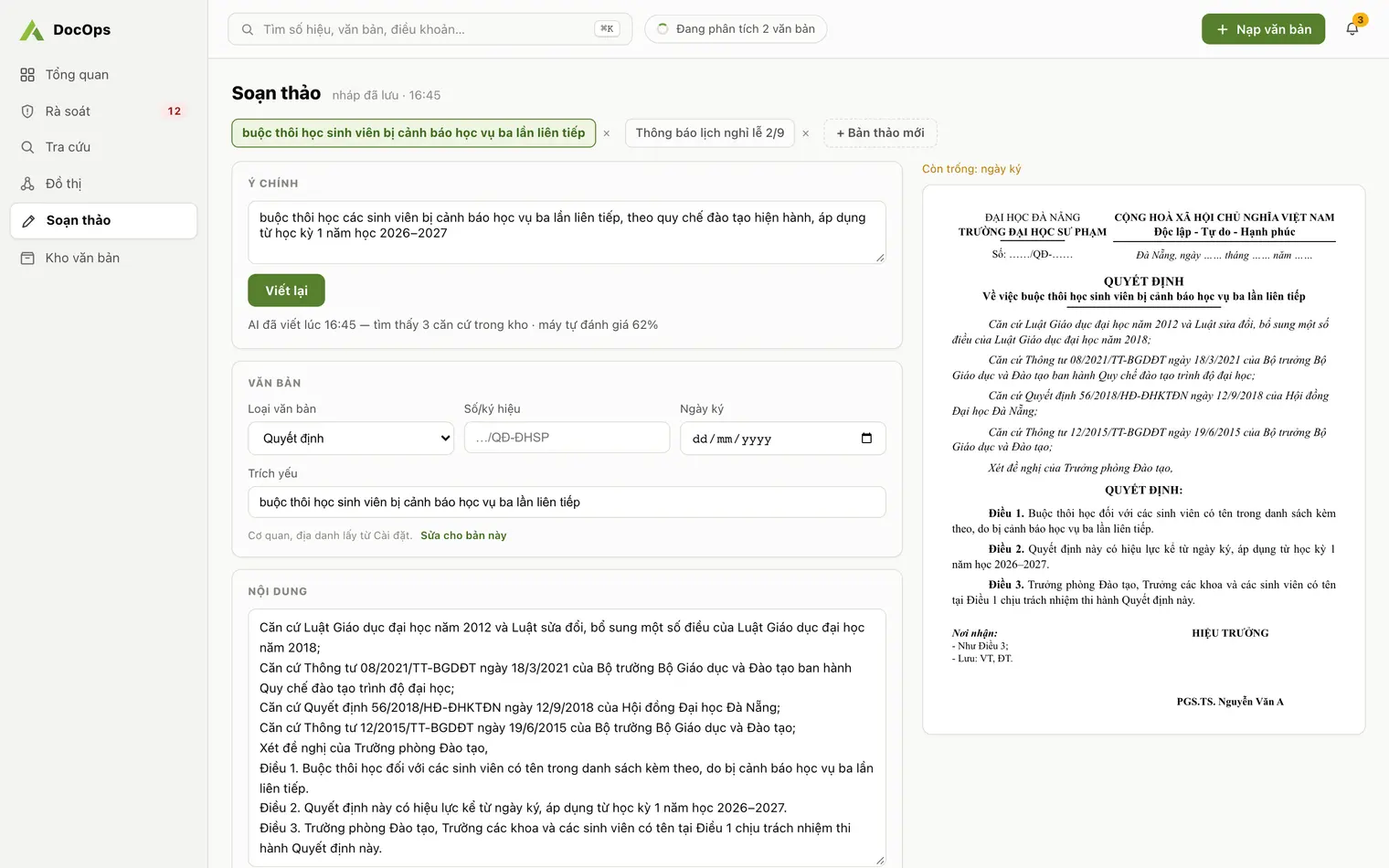
Drafting by hand vs. drafting with DocOps
| Step | By hand | With DocOps |
|---|---|---|
| Starting point | Open an old document and rework it | One sentence of intent, then "Write" |
| Institution details | Typed again every time | Filled from Institution details: parent body, issuing body, place, signing authority, title, name |
| Legal bases | Copied from old documents, easy to cite an expired one | Expired bases are not sent to the AI; each basis line carries a validity label |
| Blank fields | Checked by eye | A "Still blank" list shows what is missing |
| Output | Word file | Word (.docx) or PDF |
How DocOps drafts a document
- Pick the document type from the 29 types of Decree 30.
- Write the intent in one sentence, for example the purpose of a decision and who it applies to, then press "Write".
- The AI writes the whole document on an A4 page; institution details come from Settings, Institution details.
- Edit directly as in Word; the "Still blank" list reminds you what is left.
- Export to Word or PDF and submit it for signing through your usual process.
Official letters, proposals, reports and minutes with AI
Each document type has its own layout from the Decree 30 templates. Pick the type, write the brief, and DocOps writes the content into that layout.
- Official letter (công văn): no type name; the subject goes after "V/v" under the reference number; addressed with "Kính gửi".
- Proposal (tờ trình): type name TỜ TRÌNH, subject "Về việc…", sent to the authority that decides.
- Report (báo cáo): type name BÁO CÁO and subject; content from your brief, figures checked by staff.
- Meeting minutes (biên bản): a dedicated minutes layout from the Decree 30 templates; put time, attendees and key conclusions in the brief.
- Decisions, notices, plans: and the other administrative document types, listed on Administrative document types.
Valid bases from the first draft
Before writing, DocOps leaves out of the AI input any basis that is expired or about to change in your repository. After writing, every "Pursuant to …" line gets a label: In force, Expired, About to change, or Not in repository.
An expired basis line is highlighted in yellow with two actions: "Replace basis" to insert its successor, or "Remove line". The document can still be exported, so staff make the final call.
- How DocOps knows which bases have expired is explained in Legal basis review.
Bring in an existing Word file
You can import a .docx file into a draft to keep editing in DocOps, and optionally let the AI re-lay it out in the correct structure.
Format check for incoming documents
For documents ingested into the repository, DocOps checks 9 format parts: national title, motto, issuing body, number, place and date, summary, recipients, signature and seal. Each part is rated ok, missing or needs review, with an overall pass, needs review or fail.
- When you need a provision to cite, ask the repository directly with AI document search.
- The full set of format parts and layout rules under Decree 30 is on Administrative document format.